

Check a P&ID revision in seconds.
Drop two revisions. Anvesco lines them up, reads every tag and lists what really changed — with layout-only moves set aside. It all happens in this browser tab.
- Nothing uploaded
- No account
- Free
The first visit downloads the checker (about 30 MB) once; your browser keeps it for next time. Works best on a desktop or laptop with Chrome, Edge or Firefox.
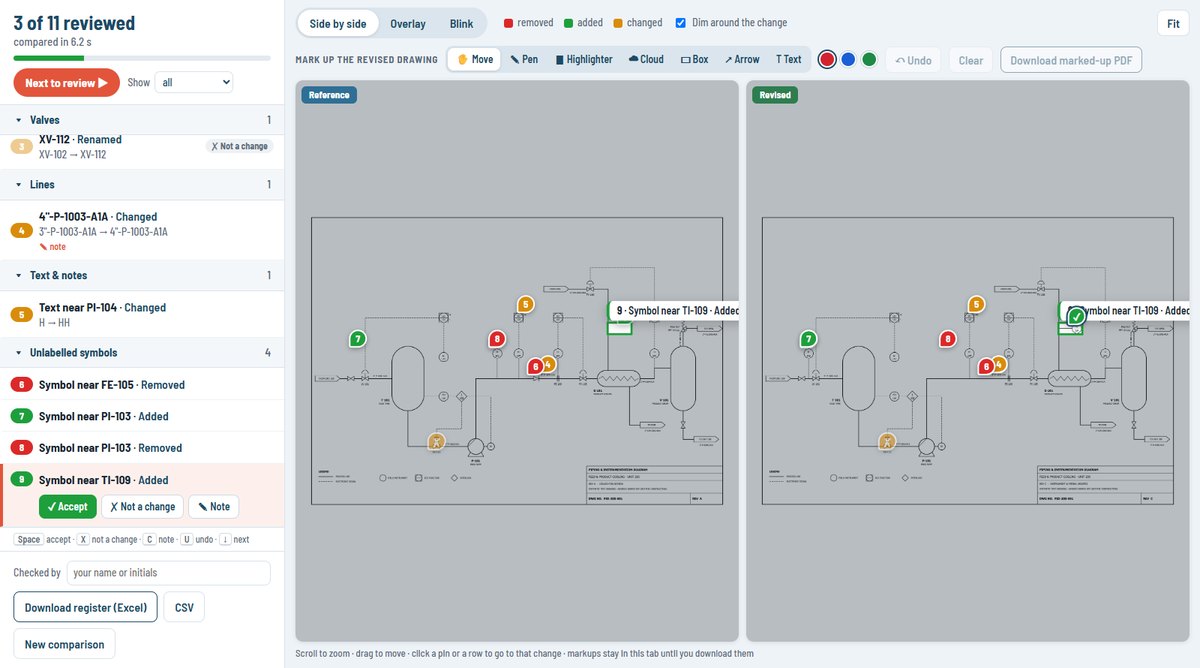
Two revisions in. Only real changes to check.
Anvesco separates what changed in the design from what only moved on the sheet — so the checker's time goes where it matters.
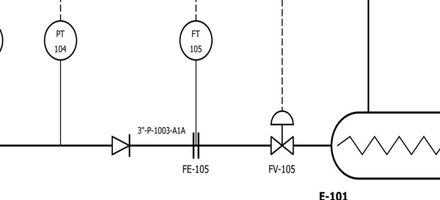
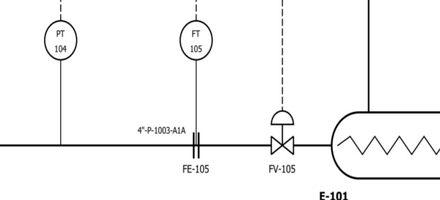
Anvesco, in your browser
- Line upthe two sheets — any sheet size, even printed sideways
- Readtags, text, symbols and pipe connections
- Compare & sortevery difference
Figures from the sample P&ID (rev A → rev D: real changes and layout moves together). Anvesco helps you check; it does not check for you.
See Anvesco in action
Short videos of each job. They play from YouTube only when you press play; YouTube may then set cookies.
Comparing…
Scroll to zoom · drag to move · click a pin or a row to go to that change · markups stay in this tab until you download them